Mesh vs extender vs access point
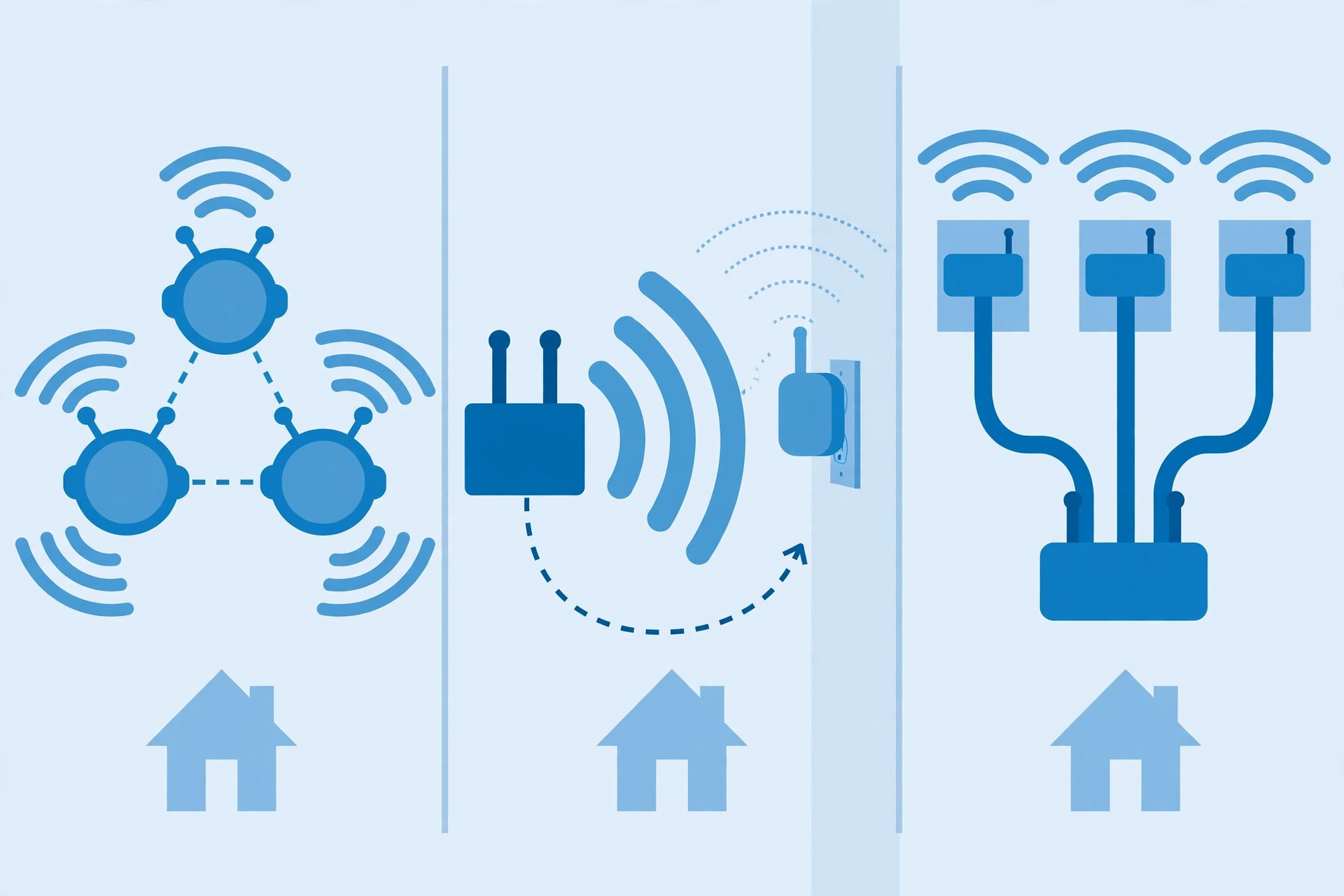
When one router can't cover your home, there are exactly three kinds of hardware that fix it: extenders, mesh systems, and access points. They all "extend Wi-Fi," but they do it in fundamentally different ways, with very different speed and effort trade-offs. Picking the wrong one is how people end up buying twice.
Wi-Fi extenders: the cheap quick fix
An extender listens to your router's Wi-Fi and rebroadcasts it further into the house. It's the cheapest option and the easiest to set up — plug it in halfway between the router and the dead zone.
The catch is physics: a traditional extender has to receive and retransmit on the same radio, which roughly halves the available bandwidth through it and adds latency. It also creates a second network name unless you configure it to share yours, which means your phone may cling to the weak router signal instead of switching to the stronger extender. Extenders are fine for one small dead zone — a far bedroom, a corner of the yard — but they're the worst choice for whole-home coverage.
Mesh systems: the whole-home approach
A mesh system replaces (or extends) your router with two or more identical units that talk to each other and broadcast a single network name. Your devices roam between nodes automatically, and you manage everything from one app. This is the easiest way to cover a large or awkwardly shaped home.
The trade-off is backhaul — how the nodes talk to each other. Most mesh systems use a wireless link by default, which costs some speed (though many systems use a dedicated radio band for it, so the penalty is smaller than with extenders). If you connect the nodes with Ethernet cables, a mesh system performs nearly as well as access points while staying easy to manage.
Node placement follows the same rule as router placement: a mesh node in a room with no usable signal can't fix anything, because its link back to the rest of the network is weak. Place nodes where they still have a decent connection to another node — roughly halfway between the main unit and the area you're trying to cover.
Access points: the best performance
An access point is a Wi-Fi broadcaster wired directly to your router (or a network switch) with an Ethernet cable. Because the backhaul is a wire, you lose essentially no speed to the extension — it's the fastest and most reliable option, and it's what offices, schools, and hotels use.
The catch is the wire itself: you need an Ethernet cable from the router to wherever the access point lives. If your home already has Ethernet in the walls, this is usually the best answer. If it doesn't, running cable through finished walls is real work — which is why most homes end up with mesh instead. (An old spare router can often be configured as an access point, which makes this option cheaper than it sounds.)
How to choose
- One small dead zone, small budget: an extender. Put it halfway between the router and the dead spot, not inside the dead spot.
- Whole home coverage, easy setup, no cables: a mesh system with two or three nodes. Wire the nodes together with Ethernet if you can — it's a free upgrade for any mesh system.
- Best possible speed and reliability: wired access points, one per area that needs coverage. Most effort, best result.
No option fixes a bad router position or a slow internet plan — work through the placement guide and the ISP diagnosis guide before spending money.
Rule of thumb: extender for one corner, mesh for the whole house, access points when you can run cable. The right hardware in the right place beats expensive hardware in the wrong place, every time.